B.S. Mathematics & Computer Science. I build low-level Windows systems in C# and Java, bare-metal firmware in C++ on the RP2350, and I am wiring a Kafka/Postgres data pipeline next. Every project is documented end to end: architecture, measured results, and the bugs I fixed along the way.
three lanes, one through-line: systems that are measured, not just shipped
01 / DESKTOP
Desktop systems in C#
Win32 interop, WASAPI audio, and real-time DSP written from scratch: split-complex FFT, overlap-add convolution, and HRTF spatialization with measured latency.
02 / EMBEDDED
Bare-metal in C++
RP2350 firmware on the Pico SDK: SPI display driver built from the datasheet, custom binary serial protocol with CRC framing, and fault-tolerant fallbacks.
03 / DATA
Data & infrastructure
Java telemetry capture at under 1% CPU, and the pipeline being built next: Kafka ingest into a Postgres warehouse with Docker Compose and clustering analysis.
AI-native workflow: local LLM/TTS inference, with AI agents as reviewers and debuggers. My systems projects are written by me line by line; AI-assisted demos are labeled as such in Labs.
Projects
filter by lane
Active builds
SpatialAudio — Desktop Audio Spatializer
shipped
systems·C# / .NET 8·2026
A C#/.NET 8 app that turns a multi-monitor desktop into a sound stage: the desktop audio mix is positioned in 3D space by the focused window's position. Capture, DSP, and window tracking all run on the real-time path, and the DSP chain is covered by tests in CI.
Window-following audio: azimuth and distance computed from the focused window's rect across the virtual desktop (±70° front-arc model)
DSP from scratch: split-complex FFT verified against a direct DFT (N=512, max difference 1.5e-5), overlap-add HRTF convolution, and per-window azimuth filter crossfades
HRTF: 72-direction KEMAR table; all 1420 raw HRIRs parsed and self-verified, resampled 44.1 → 48 kHz
Measured latency: 2.8 / 29.4 / 55.3 ms (min/avg/max) end to end through the capture → spatialize → render path
Tested: xUnit DSP suite running on GitHub Actions CI
Low-level Win32: P/Invoke into user32.dll, per-monitor DPI awareness, asymmetric-monitor virtual desktop union
Feedback-loop safe: capture and output devices must differ, so the mix cannot re-enter its own loopback
Next
Visualizer + telemetry interface (M3.5), then elevation and HRTF naturalness work.
A bare-metal telemetry dashboard: an RP2350 (Pico 2) drives a 1.14-inch ST7789 LCD over SPI with a display driver written from scratch, fed by a PC telemetry stream over USB serial. Protocol v1 is frozen, hardware and simulation both verified, and the next milestone is the live byte pipe between host and firmware.
Architecture
PC host (Python mock → C# later)
  │  USB serial, frozen frame format:
  │  [AA 55][ver][type][seq u16][len u16][payload][crc16]
  ▼
RP2350 firmware (C++, Pico SDK)
  ├ frame parser + CRC-16/CCITT-FALSE + resync
  ├ dashboard state machine
  └ fallback: no valid frame in 2 s →
       passive mode (onboard temp + LINK LOST)
  ▼
ST7789 1.14" LCD (240×135 visible window, SPI @ 10 MHz)
Key features
Driver from scratch: init sequence, gamma tables, MADCTL, and the panel's real RAM window (the visible area sits at x 0x28–0x117, y 0x35–0xBB inside the 240×320 die — writing 0–239/0–134 shows nothing)
Frozen protocol v1: frame layout documented, CRC-16/CCITT-FALSE with known ground truth, resync on bad frames, ~1.3 KB/s cadence budget
Fault tolerance: a 2-second link timeout drops the dashboard into a passive mode showing onboard temperature + LINK LOST
Sim before hardware: Wokwi RP2040 + ILI9341 stand-in for logic; the physical Waveshare panel is the source of truth
Learning in public: C++ written by me from the SDK up as a deliberate learning project (no MicroPython in the shipped firmware)
Next
M2.1 serial byte-pipe + host mock → framebuffer and font → dashboard v1 → real host integration → Cloudflare edge pipeline feeding live stats to this site.
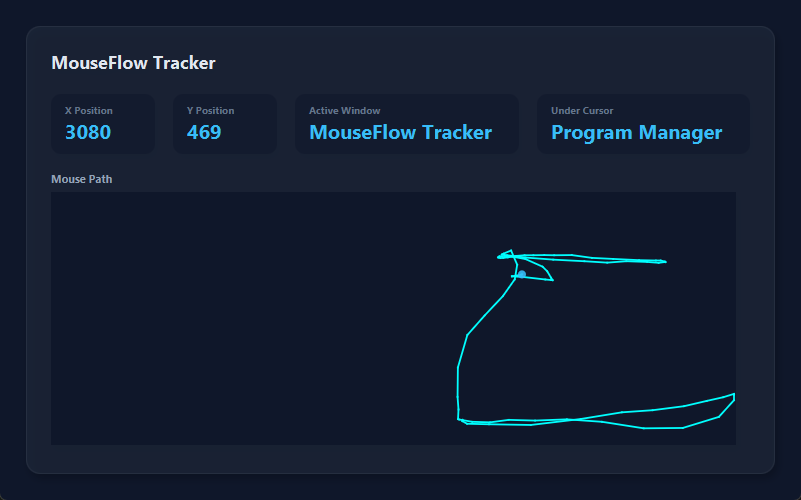
A Java desktop app that hooks low-level Windows input and streams cursor telemetry onto a live dashboard, staying under 1% CPU. The capture layer is complete; the next milestone turns it into an enterprise-style pipeline: Kafka ingest to a Postgres warehouse, then spatial clustering for heatmap output.
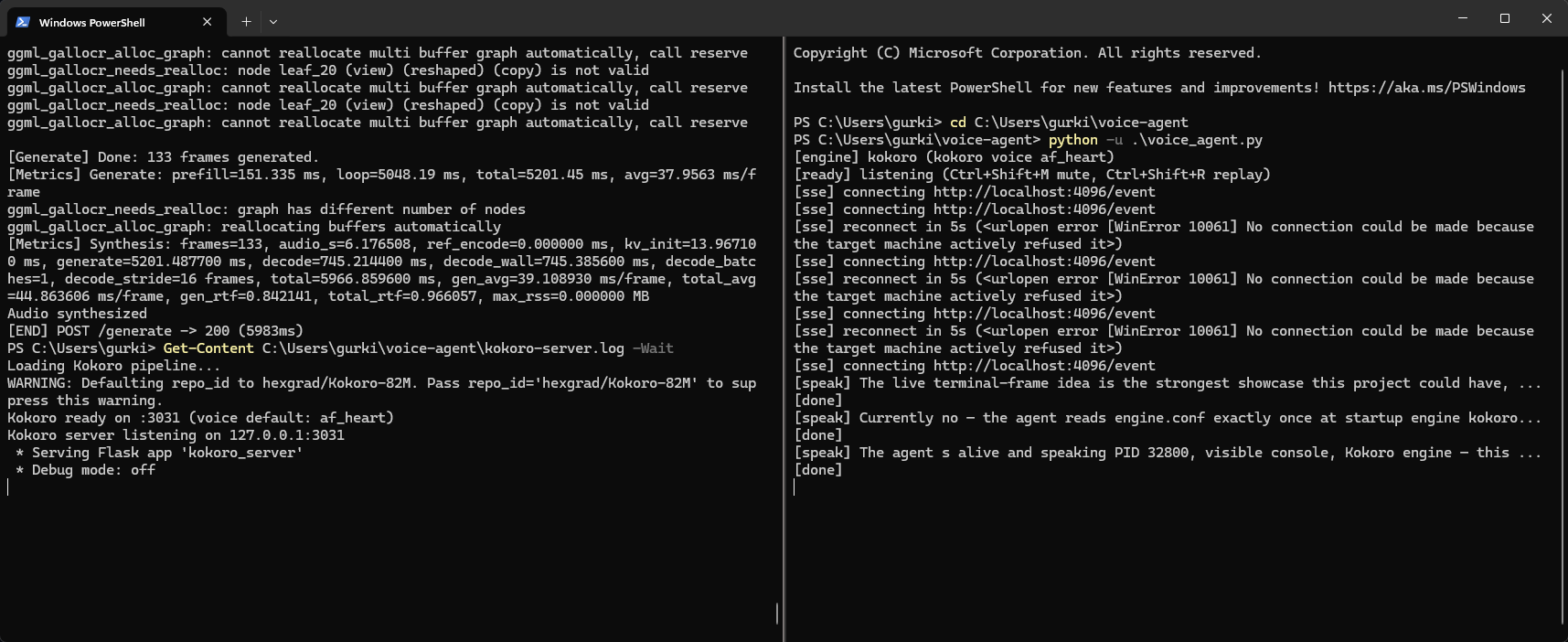
A zero-cloud voice assistant for a coding agent: SSE replies stream into on-device TTS (S2 Pro on GPU via Vulkan/GGUF, or Kokoro on CPU) with stutter-free chunked playback. Built during an AI-assisted sprint to explore agentic workflows; the architecture is documented and the upstream fix is real code I debugged.
Architecture
opencode (AI coding agent, in WSL)
  │  SSE event stream → completed replies
  ▼
voice_agent.py (Windows)
  ├ sanitize()   → tables/code → "[table]" / "[code]"
  ├ split_text() → ≤480-char sentence chunks
  └ POST /generate per chunk (prefetch next while playing)
      ├ s2.exe (s2.cpp)   → S2 Pro · Vulkan · 7 GB VRAM
      └ kokoro_server.py → Kokoro-82M · CPU · ~10× realtime
  ▼
WASAPI → speakers (2 s pre-buffer, self-healing stream)
Key features
Dual engine: S2 for expressive speech with style tags, Kokoro for near-instant CPU narration; toggle via config
Zero cloud: models run locally; the only network egress is the coding agent's own API
Stutter-free playback: synthesized chunk-by-chunk with prefetch overlap; tables and code collapse to spoken cues
Upstream contribution: PR #48 to s2.cpp — an unqualified max breaks builds under NOMINMAX; also avoided a 16 GB RAM OOM by moving to the C++/GGML engine
A playable tic-tac-toe widget built from scratch: an unbeatable minimax opponent plus online multiplayer relayed through a Cloudflare Worker with KV state, room codes, and rejoin support. Try it right here.
How it works
Unbeatable AI (Hard): minimax over the full game tree; Easy plays random
Online multiplayer: room-code matchmaking via a Cloudflare Worker relay, Workers KV for cross-instance state
Session persistence: sessionStorage-backed rejoin across refreshes
State-driven rendering: immutable game state with a single render path
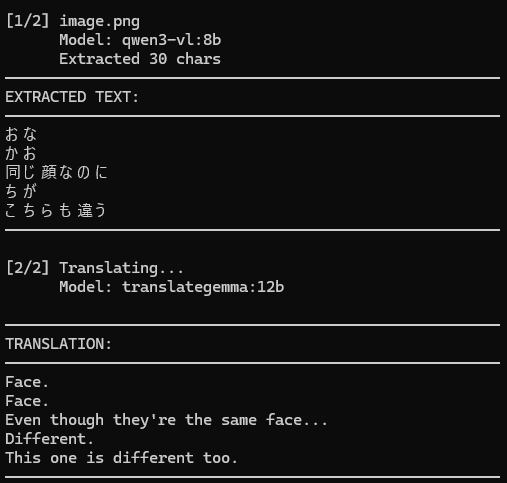
A fully local two-stage AI pipeline: a vision model reads Japanese text from raw comic pages, a second model translates it to English. No cloud APIs, no manual preprocessing. The demo below runs on a home server through a Cloudflare tunnel, so it may be offline.
Try it live
checking…
Translating…
How it works
Two-stage local AI: Qwen3-VL reads the image; TranslateGemma translates; both on-device via Ollama
Zero preprocessing: raw images go straight to the vision model
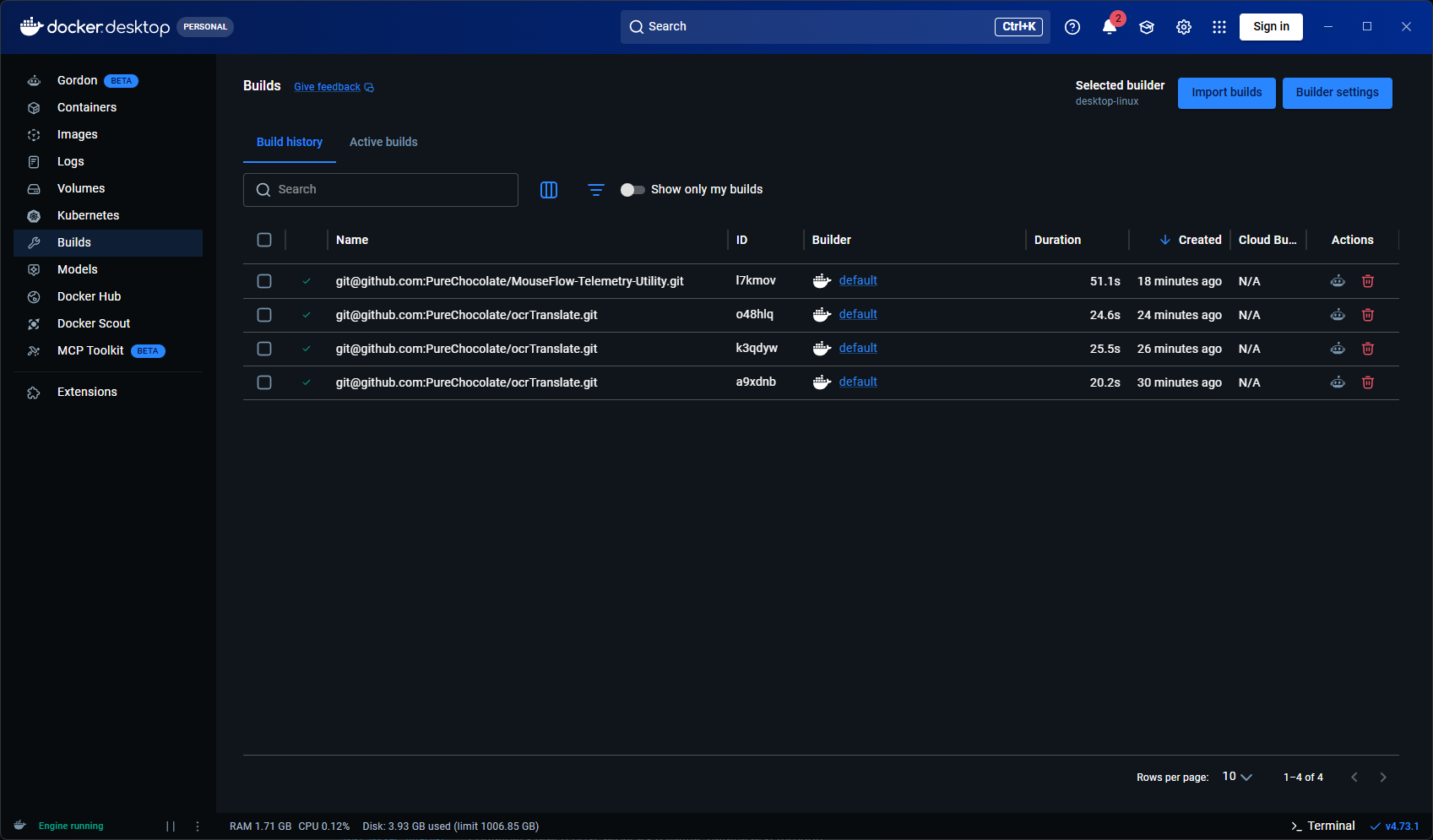
A small Go CLI that detects a project's stack and generates a production-style Dockerfile, then builds and runs it with one command. Built with heavy AI assistance as a workflow demo; useful as an example of containerized services, not as a hand-written systems build.
What it does
Auto-detection: pom.xml, requirements.txt, package.json, Cargo.toml, go.mod → the right base image
Multi-stage Dockerfiles with layer caching; dependencies installed before source
Optional deploy.yaml: override name, port, env, volumes, and command
Verified against: OCR Translate (Python) and MouseFlow (Java/Maven) builds
Learning now: C++ and bare-metal embedded (RP2350). Background: accessibility QA internship, WCAG audits, one year of university coursework in data structures and algorithms.
Performed manual and automated WCAG 2.0/2.1 audits across client platforms (browser DevTools, axe, Lighthouse), documenting 5–15 defects per page with reproduction steps and remediation guidance.
Validated findings with assistive technologies (NVDA, JAWS, VoiceOver, ZoomText) and cross-browser reproduction; maintained detailed test logs.
Delivered defect reports with recommended fixes to development; verified resolutions and reported outcomes.
Fred Meyer (Kroger)
Logistics Operations Specialist
Nov 2019 – Present
Reconcile inventory data against physical counts, resolving 10–50 discrepancies per shift through cycle counts and systematic verification.
Monitor temperature and equipment alerts (FAST) on cold storage, assessing and documenting whether affected product is kept or removed.
Operate Zebra RF handhelds and internal inventory systems; train new teammates on core inventory workflows.